
Samsung Account
Screenshots
Samsung Account is your gateway to a seamless ecosystem. It connects your devices, services, and data in one place. Setting up this profile unlocks the full potential of your device. It makes your daily tech experience much smoother.
Many people view it as just another login. However, it offers far more than basic access. It syncs your data, protects your privacy, and tracks lost devices. Let us dive into why you need this essential tool.
What is a Samsung Account and why do you need it?
A Samsung Account is a free membership that links your phone to various services. When you create this profile, you connect your phone, tablet, and smart TV. It allows these devices to share data instantly.
Without it, you miss out on exclusive features. For example, you cannot download themes or specific tools from the Galaxy Store. Furthermore, you lose the ability to backup your data automatically.
This profile acts as a master key for your device. It secures your information across different platforms. Therefore, creating one should be your first step when you get a new device. It ensures you get the best performance from your hardware.
How to set up your Samsung Account easily
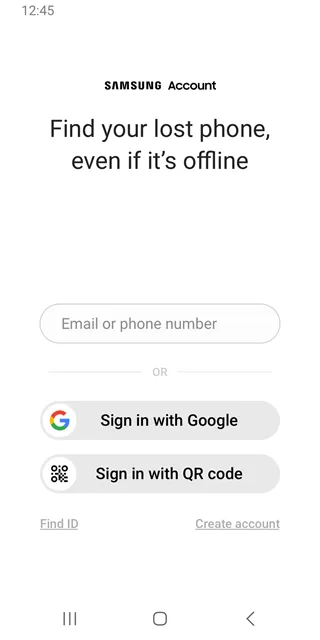
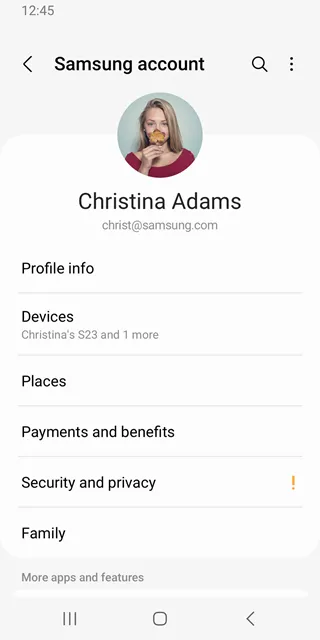
Setting up your Samsung Account takes only a few minutes. First, open the main settings menu on your mobile device. Next, tap on the profile icon at the very top of the screen.
If you do not have a profile, select the option to create one. Then, enter your email address and choose a strong password. After that, you must agree to the terms and conditions.
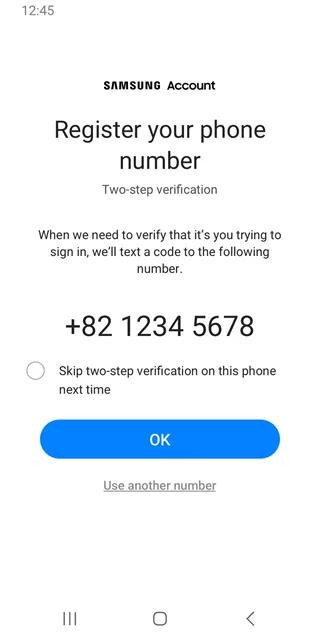
Finally, check your email inbox for a verification code. Enter this code on your device screen to complete the process. Now, your device is fully connected. You can start customizing your preferences right away.
Key features of a Samsung Account you should use
Your Samsung Account includes several built-in tools that improve your daily life. These features run quietly in the background. They keep your data safe and accessible at all times.
Here are the top features you should utilize immediately:
- Samsung Cloud: This tool stores your photos, notes, and calendar events securely.
- SmartThings: It lets you control smart home appliances directly from your phone.
- Samsung Pass: This feature remembers your passwords so you can log in with your fingerprint.
- Galaxy Store: Galaxy Store grants access to exclusive themes, wallpapers, and specialized tools.
By using these features, you maximize the value of your device. They save you time and reduce daily stress.
How to find your lost device using Samsung Account
Losing your phone can be a scary experience. Fortunately, your Samsung Account includes a powerful tracking feature. This tool is called SmartThings Find.
First, visit the official tracking website on any computer web browser. Next, log in using your specific profile credentials. The website will immediately show the exact location of your phone on a map.
In addition, you can trigger a loud ringtone to locate it nearby. If the phone is truly lost, you can lock the screen remotely. You can even wipe all personal data to protect your privacy. This feature provides immense peace of mind.
How to manage data backup with your Samsung Account
Data loss can happen at any moment. Your Samsung Account prevents this disaster through automatic backups. It saves your contacts, messages, and call logs to the cloud.
To manage this, navigate to the cloud settings inside your profile menu. Then, choose the specific items you want to save. You can enable automatic syncing over Wi-Fi networks.
- Contacts and call history
- Messages and media files
- Keyboard data and custom layouts
- Home screen settings and icon arrangements
If you switch to a new device, restoration is simple. Just log into your profile on the new phone. Then, select the restore option to download your old data. Your new device will look exactly like your old one.
Conclusion
A Samsung Account is vital for anyone using a Galaxy device. It bridges the gap between hardware and smart services. It protects your data through secure cloud backups. It also helps you locate a missing phone quickly. Setting up this profile is quick and simple. Ultimately, it transforms a standard device into a highly personalized tool. Take a few moments today to create or update your profile. You will immediately enjoy a safer, more connected experience.